


























Last updated: November 26, 2026
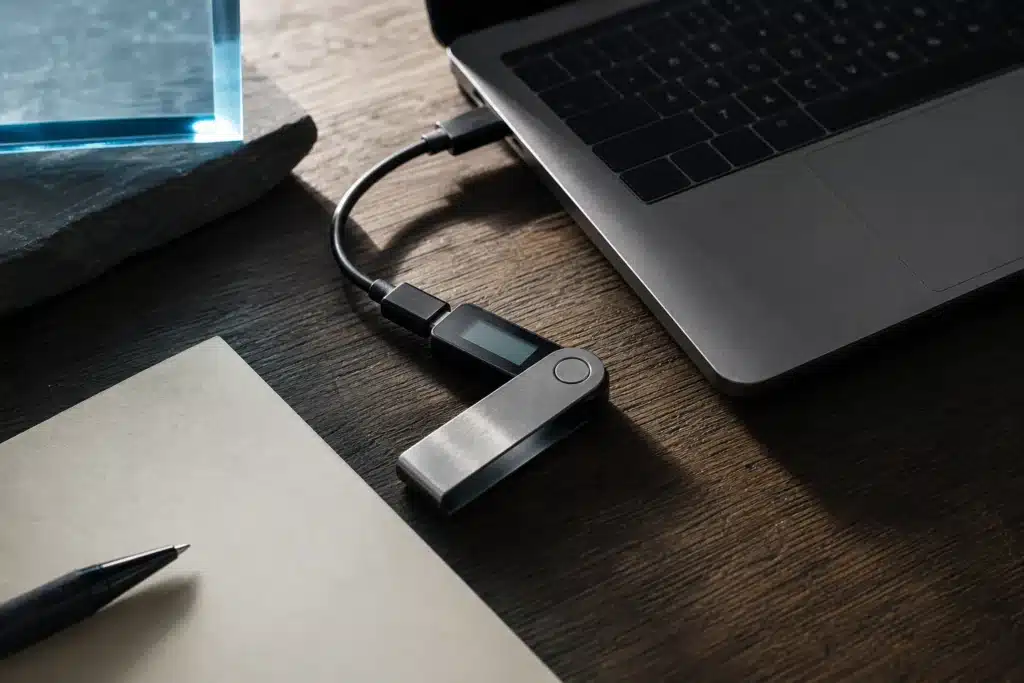
Hardware wallet signing lets wallet software prepare a transaction while the device uses its private key to approve it internally. The signed transaction or signature returns to the software, which can send it to the network. The private key stays on the device.
This separation can reduce exposure to computer malware, but it doesn’t make every transaction safe. The device display, the details you review and the address or smart contract receiving funds all matter.
Quick answer
Wallet software prepares transaction data and passes it to the hardware wallet. After you review and approve it, the device creates a cryptographic signature without sharing the private key. The software can then complete and broadcast the transaction.
How hardware wallet signing works step by step
Screens and connection methods vary by wallet and blockchain, but the process generally follows the same pattern: prepare, review, sign and submit.
- The wallet software prepares the transaction. You choose the asset, recipient and amount in a wallet app or compatible service. Trezor explains that the software prepares transaction data and sends it to the device. The device doesn’t need a direct internet connection to sign.
- The device receives transaction details. The app passes data over a supported connection. On Bitcoin, this may be a PSBT, or Partially Signed Bitcoin Transaction. Bitcoin Core describes a workflow in which a creator and updater prepare the transaction before a signer adds signatures for the inputs it controls.
- You inspect the device display. Check the recipient, amount and fee against what you intended. Ledger’s developer guide lists the review order for a simple transfer as the From address, amount, To address and fees. A computer screen alone isn’t a substitute for checking the device.
- The device signs after approval. When you confirm, the wallet uses the relevant private key internally to create a signature. The signature proves authorization for the transaction data; it doesn’t expose the private key. The device returns the signature, not the key.
- The app completes and submits the transaction. Bitcoin Core says the finalizer combines signed data and the extractor can produce a completed transaction for broadcast. For Ethereum, wallet software can submit the signed transaction to the network. The device can’t confirm whether a transaction was broadcast or accepted.
Bitcoin transactions use earlier outputs as inputs and define new outputs. Trezor’s transaction guide notes that any remainder after a payment may return to a change address. For more context, read Trezor’s guide to Bitcoin addresses and transaction history.
What the device signs on Bitcoin and Ethereum
Signing doesn’t encrypt a payment or move coins by itself. It creates cryptographic proof that a transaction was authorized by a key. The network checks the signed data under its own rules. A signature alone does not mean the transaction will be confirmed.
| Network or step | What the transaction contains | What the hardware wallet does |
|---|---|---|
| Bitcoin | Inputs refer to previous outputs; outputs specify destinations and amounts. | Reviews relevant details and signs inputs controlled by its keys. Bitcoin Core’s PSBT process passes data between wallet software and an external signer. |
| Ethereum | Ethereum.org’s developer documentation lists recipient, value, gas limit, fees and sender nonce. Typed transactions include Type 2 transactions associated with EIP-1559. | Reviews and signs account transaction data. Depending on the action, the transaction may call a smart contract rather than make a simple transfer. |
| After signing | The signed transaction is ready for completion or submission, depending on the wallet workflow. | Returns a signature. Wallet software or another service handles later steps, such as finalizing and broadcasting. |
Bitcoin Core’s documented PSBT workflow has five roles: Creator, Updater, Signer, Finalizer and Extractor. Its PSBT documentation says the signer adds partial signatures, while later steps produce the transaction for broadcast. This shows why signing and sending are separate actions.

Common mistakes and risks
Approving without checking the device. Malware can alter details shown on a connected computer. Compare the address and amount on the hardware wallet with the destination you intended. If the display is incomplete or unexpected, don’t approve.
Assuming every contract call is readable. Smart-contract transactions can contain data that’s difficult to interpret. Trezor says supported Clear Signing calls can appear in human-readable form, while unlisted contracts may show a hash and require blind signing. In that case, the device may not clearly explain the action, adding uncertainty.
Transaction review is a security feature, not a formality. Ledger disclosed on August 27, 2026, that an Ethereum-app clear-signing flaw could cause a device to review only 1 element of a 257-element operation array, even though the signature authorized the full transaction. Ledger said it fixed the issue in Ethereum app version 1.22.3. The report illustrates that a screen is useful only when its software correctly represents what the signature covers.
Confusing a signature with a completed payment. Signing authorizes transaction data; it doesn’t prove the network accepted or confirmed it. A transaction may fail, remain unbroadcast or go to an unintended address. Fees can change, and blockchain transactions may be difficult or impossible to reverse.
Sharing recovery information. A hardware wallet can’t protect funds if someone obtains the recovery phrase or tricks the owner into signing a harmful transaction. Theft, device loss, phishing, malicious software, faulty contract interactions and total loss of funds remain risks. Recovery data needs separate protection. Rules and legal protections differ by country.
Hardware wallet signing FAQ
Does a hardware wallet send the transaction?
Usually, it signs the data and returns the signature to wallet software. The software or another service can then finalize and broadcast the transaction. Ledger’s developer guide notes that the device can’t confirm whether a signed transaction was subsequently broadcast.
Does hardware wallet signing keep my crypto offline?
The private key stays on the device during the signing workflow described by Trezor, and the device doesn’t need its own internet connection to sign. But transaction information may pass through an internet-connected computer or phone, and signing a malicious transaction can still put funds at risk.
What should I check before hardware wallet signing?
Check the recipient, amount and fee on the device screen, and make sure the action matches your intention. For smart-contract activity, look for a human-readable description where supported. An unexplained hash or blind-signing request may leave you without enough information to judge what the transaction will do.
Sources
- PSBT Howto for Bitcoin Core (github.com)
- Addresses & transaction history (trezor.io)
- What Is Cryptography? (trezor.io)
This article is for informational purposes only and does not constitute financial or investment advice. Cryptocurrencies are highly volatile; always do your own research before investing.