


Last updated: November 6, 2026
Passkeys vs hardware wallets isn’t always a choice between a phone and a physical device: a passkey can also be stored on a hardware security key. The difference is how a wallet signs transactions, where credentials live and what happens if a device is lost.
As of November 6, 2026, wallet support and recovery methods vary by network and provider. Here’s how to compare them without confusing a login credential with a transaction-signing setup.
Quick answer
Passkeys can simplify wallet access and signing, and may sync across devices or stay bound to one authenticator. A hardware wallet keeps its private key on the device while signing, but you still need to review transactions. Some hardware security keys can also hold passkeys.
Passkeys vs hardware wallets step by step
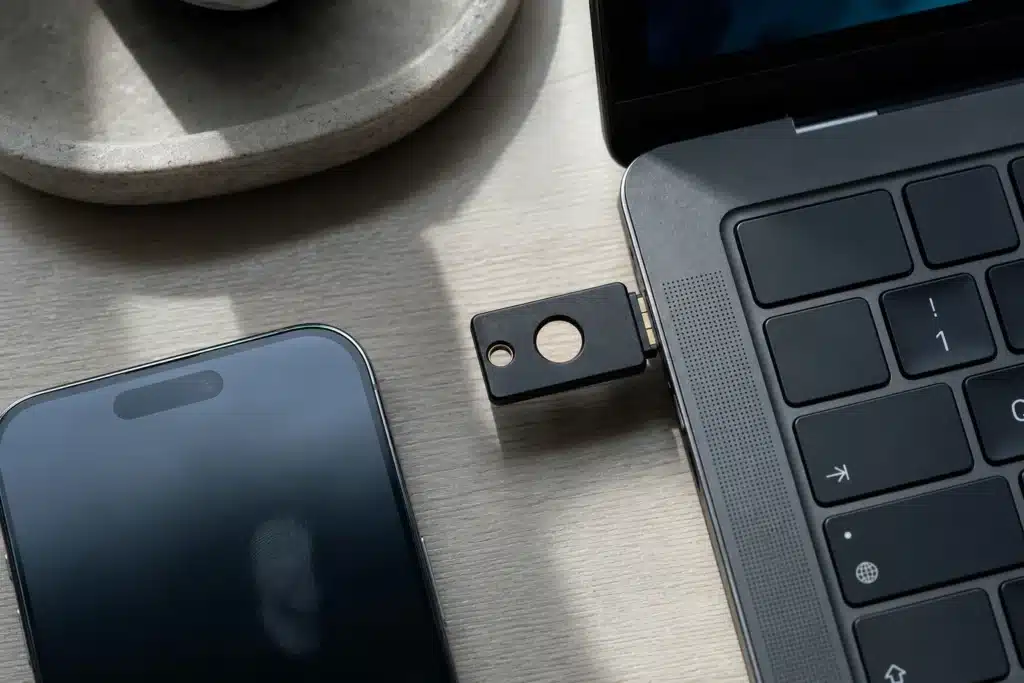
Separate three terms: passkey, hardware security key and hardware wallet. The FIDO Alliance describes passkeys as FIDO2 credentials using WebAuthn and CTAP. They can sync across devices or be device-bound. A FIDO security key can store a device-bound passkey; a hardware wallet signs crypto transactions while keeping its private key on the device.
- Check what the passkey controls. It may authenticate app access or form part of transaction signing. Sui lists passkeys among its transaction authentication signature schemes, so support depends on the chain and wallet.
- Find where the credential lives. A synced passkey may be available on multiple devices through a provider; a device-bound passkey stays with its authenticator. FIDO says passkeys on its security keys are device-bound and describes modern hardware security keys as its highest-assurance option.
- Trace the recovery route. Find out what happens if a phone, security key or wallet is lost. Sui says a passkey can’t move between authenticators unless it syncs through a cloud provider, and recovery depends on the authenticator vendor. Coinbase warns that a Smart Wallet without an added recovery method can’t be recovered if its passkey is lost.
- Test network support. Coinbase Help says its Smart Wallet supports EVM networks only. Bitcoin and Solana require a different Coinbase Wallet type. Don’t assume one passkey setup works with every asset or app.
- Review each transaction. A hardware wallet can isolate a private key during signing, but it can’t make every transaction safe. Trezor says its Clear Signing feature, announced September 7, 2026, displays decoded details for supported Ethereum and EVM-compatible transactions. Unsupported contracts may still require blind signing.
Device integrity and transaction review are separate considerations. Check the source and condition of a device, and understand what information it displays before approving a transaction.

Passkeys vs hardware wallets compared
This comparison covers common trade-offs, not a universal security ranking. The systems can overlap: a hardware security key may store a passkey, while a crypto hardware wallet may use a separate signing workflow.
| Question | Passkey-based wallet | Hardware wallet |
|---|---|---|
| What signs or authorizes? | A passkey may authenticate access or sign transactions, depending on the wallet and chain. | The device signs transaction data while its private key stays on the device. |
| Where is the credential? | Synced across devices or bound to one authenticator. A security key can hold a device-bound passkey. | The signing key stays on the wallet device, according to Trezor. |
| What if it’s lost? | Recovery depends on sync settings, the authenticator vendor and any added recovery method. | Access depends on the wallet’s recovery arrangements. The device alone may not provide recovery. |
| What needs checking? | Network support, sync behavior and account recovery. | Supported transaction details, device integrity and recovery arrangements. |
Both approaches have limitations and possible failure modes. A compromised account or device, deceptive signing prompt, unsafe smart contract, exchange failure, scam or regulatory change can create risks beyond the credential type. Crypto assets can lose some or all of their value.

Common mistakes and risks
- Assuming every passkey is cloud-backed. Device-bound credentials may not transfer. FIDO says losing one may require a backup authenticator or account recovery. Confirm the process before relying on it.
- Treating a login as proof of transaction safety. Passkeys can prevent some password-based attacks, but a valid signature can still approve an unwanted transaction. Review wallet details and check whether a contract is unsupported or requires blind signing.
- Confusing a security key with a crypto hardware wallet. FIDO security keys can hold passkeys, but that doesn’t mean they store or manage crypto assets. Check the product’s function.
- Relying on one device without a recovery plan. Sui cautions against using one passkey as the sole custody method for high-value accounts. Consider how device loss, provider outages or account recovery disputes could affect access.
Wallet security also involves protecting devices and connections, not just choosing a credential. Never share seed phrases or recovery credentials with anyone claiming they can restore access. Scammers may impersonate wallet support.
FAQ
Are passkeys safer than hardware wallets for crypto?
There’s no universal answer. These systems can overlap, and their risks differ. FIDO says modern hardware security keys offer the highest security assurance, while crypto hardware wallets keep private keys on-device during signing. Recovery and transaction review still matter.
Can a passkey replace a crypto hardware wallet?
Some wallets use passkeys to sign transactions, but support varies by chain and provider. Sui supports passkeys for transaction authentication. Coinbase’s Smart Wallet supports EVM networks, but Bitcoin and Solana require different Coinbase Wallet types.
Can I use a passkey and a hardware wallet together?
Yes, depending on the wallet and setup. FIDO security keys can store device-bound passkeys, and Sui describes support for security keys such as YubiKey. Confirm whether a device acts as an authenticator, a crypto signing device or both, and check recovery options.
Sources
- FIDO Passkeys: Passwordless Authentication (fidoalliance.org)
- FIDO EDWG Spring 2023 Paper 2: Replacing Password-Only Authentication (fidoalliance.org)
- Sui Introduces Passkey for Seamless User Onboarding (www.sui.io)
This article is for informational purposes only and does not constitute financial or investment advice. Cryptocurrencies are highly volatile; always do your own research before investing.