




A Riveting Opening: Why a Crypto Wallet Matters Now
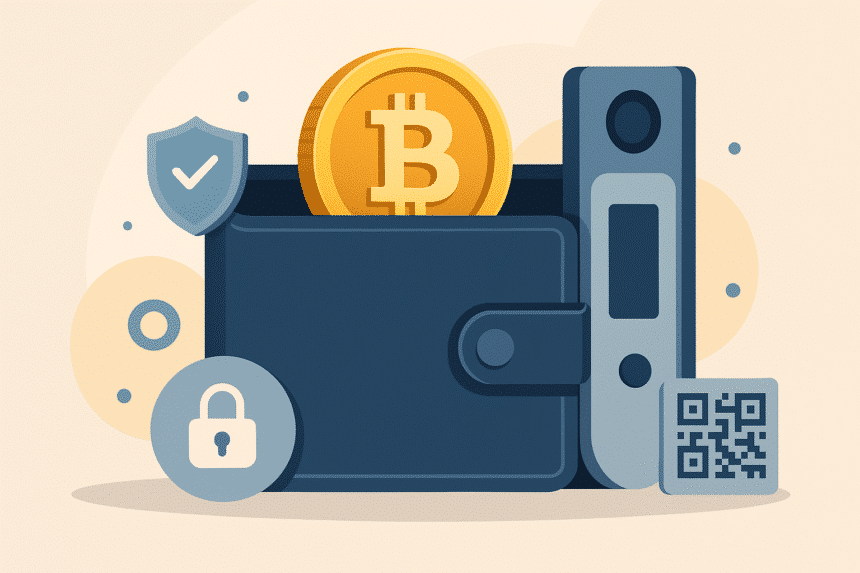
The crypto wallet serves as the vital connection which enables secure ownership of digital wealth. The wallet serves as the trusted protector of private keys because digital assets exist on public ledgers but remain accessible only through private keys.
The wallet’s essential role must be understood by all financial students blockchain developers analysts and crypto enthusiasts because it establishes the basis for self-custody and financial sovereignty. The clarity needed for today’s crypto-powered era is essential.
Picking the Right Wallet: Begin with Purpose, Protection, and Practicality
The selection of a suitable wallet begins with three essential factors, which include purpose, protection and practicality. When selecting a crypto wallet three essential factors become apparent.
- Security first: A wallet needs to defend users from online threats, which include phishing and hacking attacks. Cold wallets (offline storage) offer the highest safety. Hot wallets (online software) provide quick access but need stronger safeguards. Cold storage refers to hardware or paper wallets kept offline; hot wallets include mobile or browser-based apps connected to the internet.
- User-friendliness: Software wallets like Exodus and Trust Wallet and MetaMask have user-friendly interfaces that are appropriate for beginners. Multicurrency wallets that have clean interfaces help bridge complexity and ease of use.
- Control and self-governance.:Non-custodial purses in which individuals hold private keys individually retain monetary self-governance and financial secrecy. Third-party-held private keys, however, characterize custodial purses.
Understanding Wallet Types: Hot and Cold
A sharp differentiation serves to direct selection.
Hot Wallets (Software Wallets)
Examples are phone applications, browser add-ons, or desktop software. They link to an internet source to give quick access to money.
Pros: Convenient, easy to install, ideal for daily use and interaction with dApps.
Risks: Susceptibility to hacks or phishing. Relying on security from the supplier (Investopedia, Coinbase).
Cold Wallets (Hardware and Paper Wallets)
These are kept offline a printed paper sheet or a hardware gadget.
- Hardware wallets (like Ledger or Trezor) store keys in a secure chip; transactions are signed internally, reducing exposure.
- Paper wallets contain a printed key record. Extremely secure if kept physically safe; extremely hazardous if lost or damaged.
Experts recommend a hybrid strategy: hot wallets for everyday spending, cold wallets for long‑term storage.
Setting Up a Software (Hot) Crypto Wallet
| Step | Description |
| 1. Choose a reputable provider | Select a trusted wallet like Exodus, Trust Wallet, or MetaMask. Check reviews and open-source status. |
| 2. Install via official channels | Download only from the provider’s official website or app store to prevent malware risks. |
| 3. Create the wallet | Set a strong passphrase. Generate and write down the seed phrase. Store it offline securely. |
| 4. Enable security features | Turn on two-factor authentication or biometrics. Keep the seed phrase in a safe, physical location. |
| 5. Fund and explore | Transfer crypto to your wallet address. Explore features like staking, swaps, and dApp access. |
Step-by-Step: Setting Up Hardware (Cold)
| Step | Description |
| 1. Purchase from official sources | Order directly from the manufacturer (Ledger, Trezor, Bitkey) to avoid counterfeit devices. |
| 2. Install the companion software | Connect the device, install official software, set a PIN, and generate the seed phrase. |
| 3. Safeguard the backup phrase | Write the seed phrase on paper. Store it in a safe or deposit box—never digitally. |
| 4. Use cautiously | Connect only for transactions. Verify destination addresses on the device’s screen before approving. |
Essential Practices for Wallet Security
- Never disclose private keys or seed phrases to any individual.
- Do not save secure wallet data in the cloud or screenshot archives.
- Watch out for phishing—always check URLs or confirm requests are legitimate before agreeing to transactions.
- Think about multi‑signature arrangements if you’re dealing with large assets; this involves transaction authorization from several keys (WIRED).
- Use hardware backup like Bitkey’s redundancy system if it is available (Wikipedia).
Use Cases: Wallet in Action
- Sending and receiving assets
Use “Send” or “Receive” features: input recipient address or scan a QR code. Always verify destination addresses carefully—crypto transactions are irreversible. - Interacting with dApps
Wallets like MetaMask allow direct access to decentralized finance platforms or NFT marketplaces through browser integrations. - Managing diversified portfolios
Multi‑chain wallets like Exodus or Trust Wallet help manage various tokens in one interface.
Final Reflection:
A crypto wallet combines empowerment with responsibility. It joins a decentralized network while upholding autonomy—and that autonomy must be guarded. Self‑custody means owning your assets and the risk if responsibility isn’t taken seriously. For learners, developers, analysts, and enthusiasts, mastery of wallet setup and security is foundational.
Glossary of Key Terms
- Crypto wallet – Stores private keys allowing access to crypto on the blockchain.
- Private key – Secret code proving ownership; loss equals total loss.
- Seed phrase – A list of words backup for wallet recovery.
- Hot wallet – Internet‑connected software wallet with high convenience.
- Cold wallet – Offline wallet (hardware or paper) offering superior security.
- Non‑custodial wallet – Users control private keys themselves.
- Custodial wallet – A third‑party manages private keys.
- Multi‑signature (multi‑sig) – Requires multiple approvals for transactions.
- DApp – Decentralized app interacting directly with blockchain via wallet. (Coinbase)
- Phishing – Fraudulent attempt to steal private info by impersonation.
Frequently Asked Questions (FAQs)
- What is the safest kind of crypto wallet?
Cold wallets (hardware or paper) provide maximal security by isolating keys offline. - Can a wallet be restored if lost or damaged?
Yes—only with the seed phrase. Without it, recovery is nearly impossible. - Are software wallets free?
Typically yes, though some may charge transaction or network fees. - Is a phone wallet safe?
It’s convenient but needs strong security—two-factor authentication and avoiding shady apps. - Should beginners start with a hot or cold wallet?
Many begin with a hot wallet for ease, adding a cold wallet when storing larger amounts. - What makes a non-custodial wallet better?
Full control, privacy, and no reliance on third parties—assuming users protect their keys. - How can one protect against phishing?
Double-check URLs, only download official apps, and never share seed phrases.
Content Brief Summary
The beginner’s guide provides step-by-step instructions for crypto wallet setup and security while following EEAT and YMYL standards. The guide explains wallet types including hot and cold storage and custodial and non-custodial options along with their advantages and disadvantages and complete setup procedures for software and hardware wallets and vital security measures. The content refrains from financial guidance but emphasizes the importance of self-custody responsibility. The text maintains a professional tone while being humanized and accessible to students developers analysts and crypto enthusiasts